
How to Remove Content from the Hail Mobile App
Removing Content from the Hail App
Once content has been shared to the Hail Mobile App, a tick will appear beside the Hail Mobile App destination in the Add to section:
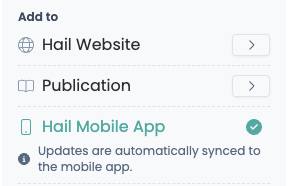
If you would like to remove the content from the app, simply hover over the tick. The tick will change into a cross icon with the option Remove from mobile app.
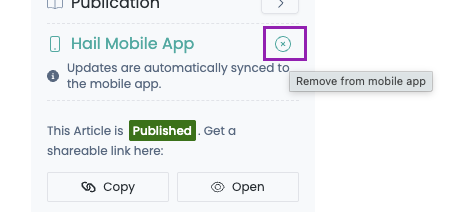
Clicking this will remove the content from the Hail app immediately.